“Will cash cover the next payroll?”
See daily balances, the lowest point and when cash falls below your chosen buffer. Open the cash items behind the risk.
See the cash forecastCash flow software for fractional CFOs
Find the lowest cash day. Understand what drives it. Test a change and take a clear next action into the client review.
Separate clients. Clear assumptions. One repeatable cash review.
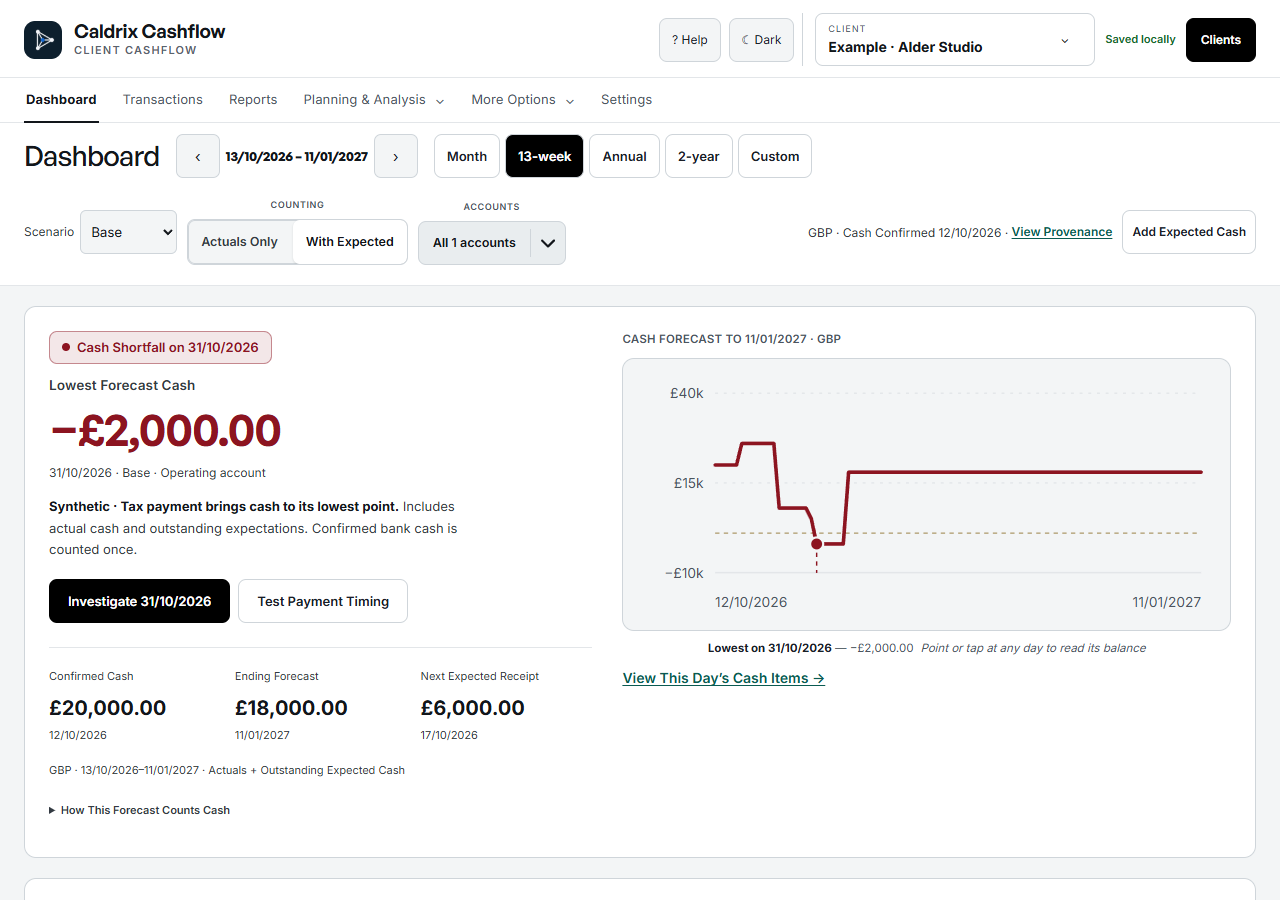
Cash shortfall 31 October 2026
Lowest balance −£2,000From a question to a decision
Focus the conversation on what is coming, what could change and what to do next.
See daily balances, the lowest point and when cash falls below your chosen buffer. Open the cash items behind the risk.
See the cash forecastMove an expected receipt in a separate Decision scenario. Compare the cash impact while keeping actuals and your Base intact.
Test a decisionBring the outlook, assumptions and next actions into a saved client review. Keep the figures and commentary together.
See a client reviewA clearer way to manage client cash
Move between clients, test a cash decision and prepare the review without rebuilding a different spreadsheet each time.
Maintain each client’s files, assumptions and reporting format.

Keep each client separate. Follow one consistent cash-review process.
| For each cash review | Separate spreadsheets | Caldrix Cashflow |
|---|---|---|
| Client context | Choose and open the client’s file. | Keep the selected client and cash accounts in view. |
| Forecast dates | Maintain the date range in each workbook. | Choose Month, 13-week, Annual, 2-year or a custom range. |
| What-if decisions | Keep alternative copies or scenarios consistent. | Test a Decision separately from Base and actual cash. |
| Client reporting | Bring figures and commentary into your report. | Save the outlook, assumptions and actions together. |
| Data import | Check each file’s columns and layout. | Map and review cash data before committing an import. |
Inside Caldrix Cashflow
One connected workflow for your next client cash review.
Review the lowest balance and its date across a month, 13 weeks or a longer horizon. See the cash movements behind the forecast.
Change an expected date or amount in a Decision scenario. Compare it with Base so you can judge the trade-off before making a commitment.
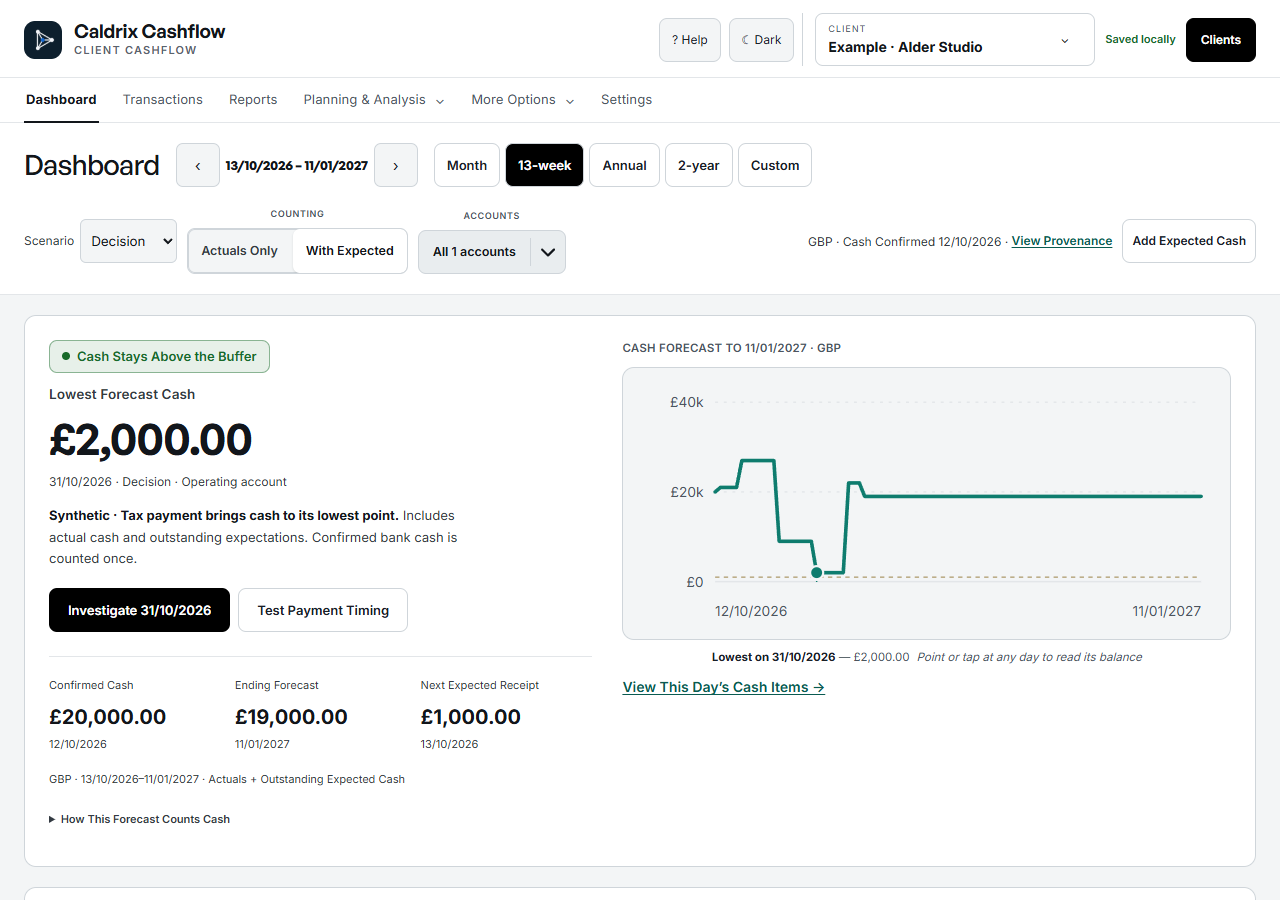
Prepare the cash outlook, explain what changed and record next actions. Save a version so the figures and commentary stay together.
Built for the way fractional CFOs work
Keep each client’s cash, assumptions and reviews in a separate workspace. Use the same clear process when you move to the next business.
See how to get startedReview dates, expected receipts and upcoming payments with the right client in view.
Distinguish confirmed cash from expectations and follow the items behind a balance.
Save the outlook and actions. Return to the client with a clear record of the previous review.
Get to the cash question
A direct route from cash inputs to the next useful decision.
Add the business and its cash accounts. Keep its figures and assumptions in one place.
Confirm all cash accounts at the same date. Add expected receipts and payments, or map and review a CSV or XLSX file.
Check the cash outlook, explore a timing change and prepare the next client review.
Have ready: cash balances at one date, expected receipts and payments, and the dates you expect them.
Pricing
A clear monthly price for the forecast, decision and client-review workflow.
Included in your plan
Cash forecastsWhat-if decisionsSeparate client workspacesSaved client reviewsData import and exportPractice
£99/ month
Five client businesses included.
£20/month for each additional client.
5 clients · £99/month
A consistent cash review across your portfolio.
Prices exclude VAT where applicable.
Before you start
Practical answers about your cash workflow.
Yes. The daily forecast shows the projected balance and cash items for the selected day. You can also see the lowest balance, its date and when cash crosses your chosen buffer. Forecasts depend on the dated cash and expectations you supply.
Yes. Use a separate Decision scenario to test an expected receipt or payment date. Your Base expectations and actual cash stay separate. Review the comparison before choosing an action.
Add cash items directly or import supported data files, including CSV and values-only XLSX. Review the import before committing it. Confirm opening cash and keep expected dates up to date; updates are not supplied by a live bank or accounting feed.
Yes. Each client has its own workspace, cash accounts, expectations, scenarios and reviews. Select the client before adding data or reviewing the forecast. Separate workspaces do not combine the clients into a consolidated forecast.
Prepare and save a client review with its cash figures, assumptions and actions. Export CSV or XLSX, or use print/save PDF for a reviewed pack. Client login access and shared online collaboration are not part of this workflow.
Fractional CFOs managing cash for GBP service businesses, such as agencies and consultancies. It focuses on daily cash decisions and client reviews. Multi-currency groups and full three-way financial modelling need a different workflow.
Start with each cash account’s balance at the same date, then add expected receipts and payments with their expected dates. Enter the figures or import a supported file and review it before saving.
Choose Month, 13-week, Annual, 2-year or a custom range. Review the daily balances and the items behind a day. The forecast reflects the data and expected dates you maintain.
Actual receipts and outstanding expectations are separate. Allocate a receipt to its expected item to reduce what remains outstanding, without adding the bank receipt again.
Be ready for the next payroll
See the lowest balance and the day it hits. Test payment timing before you commit.
Try Caldrix Cashflow